VirtualBox HomeAssistant VM 自動啟動與 Crash 監控架構
建立日期:2026-04-11
最後更新:2026-07-26
分類:architecture
環境:macOS 15 · VirtualBox 7.1.8 · Apple M4
概述
在 Mac Mini 上使用 macOS 原生的 launchd 服務管理 VirtualBox HomeAssistant VM,取代 Login Items .app 方案。透過 VBoxHeadless(無頭模式)持續持有 VM 行程,搭配 Watchdog Shell Script 實現:開機自動啟動、VM crash 自動重啟、完整 Log 紀錄。
架構圖
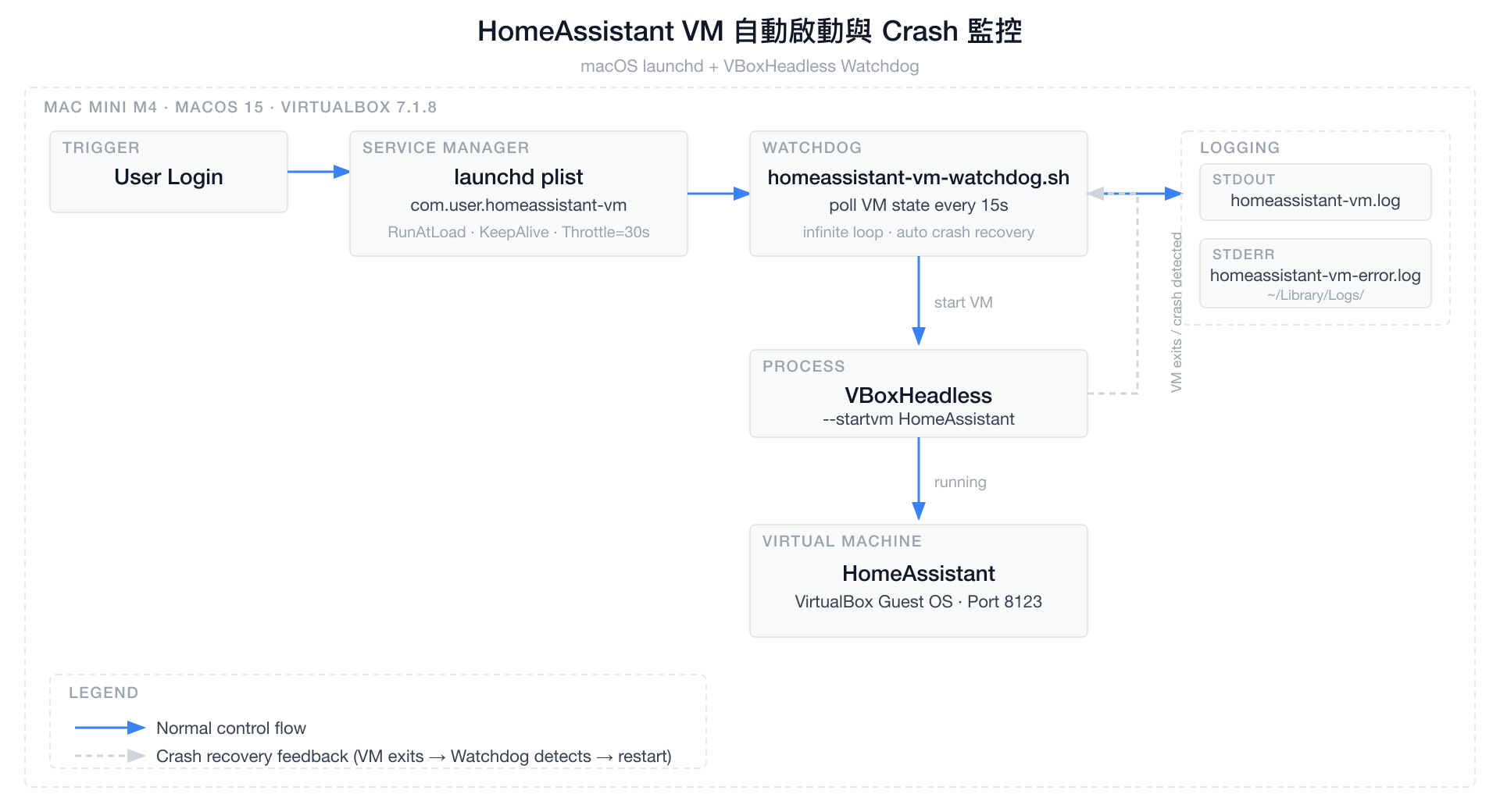
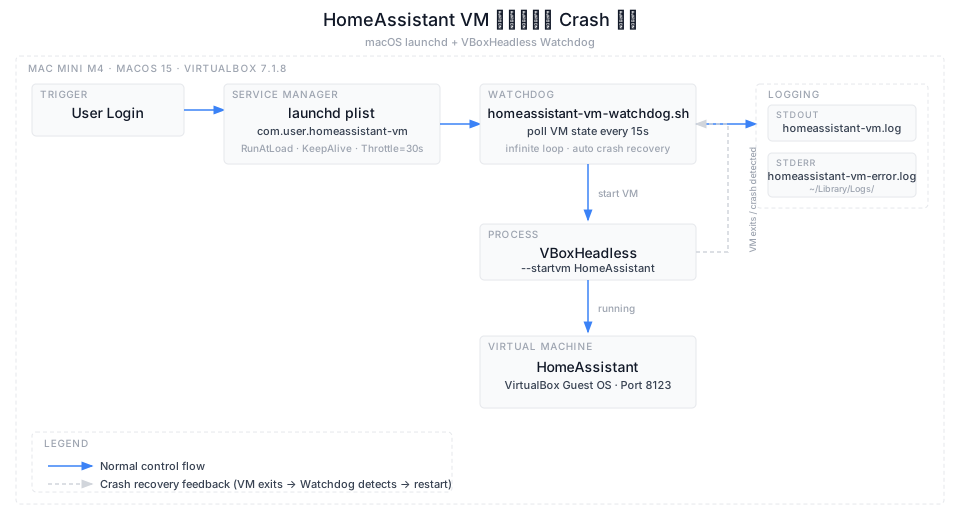
圖片原始檔:architecture-notion.svg
元件說明
launchd plist(com.user.homeassistant-vm.plist)
| 設定 | 值 | 說明 |
|---|---|---|
RunAtLoad |
true |
用戶登入後立即啟動 Watchdog |
KeepAlive |
true |
Watchdog 腳本 crash 時自動重啟 |
ThrottleInterval |
30s |
防止 Watchdog 快速 crashloop |
StandardOutPath |
/dev/null |
Script 自行管理 Log |
StandardErrorPath |
~/Library/Logs/homeassistant-vm-error.log |
未預期錯誤 |
Watchdog Script(homeassistant-vm-watchdog.sh)
| VM State | Watchdog 行為 |
|---|---|
running / starting / restoring |
sleep 60s,繼續輪詢 |
stopped / aborted / poweroff / saved |
呼叫 VBoxHeadless --startvm |
| 查詢失敗(VBox 未就緒) | sleep 60s 後重試 |
VBoxHeadless vs VBoxManage startvm
VBoxHeadless |
VBoxManage startvm |
|
|---|---|---|
| 行程持續運行 | ✅ VM 結束才退出 | ❌ 啟動後立刻退出 |
| launchd 可監控 | ✅ | ❌ |
| Crash 可偵測 | ✅ | ❌ |
| 無頭(不顯示視窗) | ✅ | 需加 --type headless |
與舊方案比較
| 功能 | .app Login Items |
launchd + Watchdog |
|---|---|---|
| 開機自動啟動 | ✅ | ✅ |
| VM crash 自動重啟 | ❌ | ✅ |
| 無頭模式(headless) | 視腳本而定 | ✅ |
| Log 紀錄 | ❌ | ✅ |
| 指令管理(start/stop) | ❌ | ✅ |
| Watchdog 本身 crash 重啟 | ❌ | ✅ |
| 需要圖形介面登入 | ✅ | ✅(LaunchAgent) |
💡 若想不需登入就啟動(純 headless server),可改用
/Library/LaunchDaemons/(需 root),但 VirtualBox 需額外設定。
檔案位置
~/
├── .local/bin/
│   └── homeassistant-vm-watchdog.sh     # Watchdog 主腳本
├── Library/
│   ├── LaunchAgents/
│   │   └── com.user.homeassistant-vm.plist  # launchd 設定
│   └── Logs/
│       ├── homeassistant-vm.log             # stdout log
│       └── homeassistant-vm-error.log       # stderr log
Cloudflare Tunnel(外網存取)
設定日期:2026-07-26
目的:讓 HA App 在外網(4G/5G)也能收到推播通知,並從外部連線 HA
網路架構
外網(手機 4G/5G)
    │
    ▼
Cloudflare Edge(台灣 tpe01 / 高雄 khh01 節點)
    │  QUIC / HTTP2
    ▼
cloudflared(Mac mini · 192.168.50.49 · LaunchAgent)
    │  HTTP · 內網
    ▼
HA Server VM(VirtualBox · 192.168.50.71:8123)
Tunnel 資訊
| 項目 | 值 |
|---|---|
| Tunnel 名稱 | ha-mansion |
| Tunnel ID | a430f2b4-fd44-4967-abee-b9a37938cd1a |
| 公開網址 | https://ha.mansionlai.com |
| 網域 | mansionlai.com(Cloudflare Registrar) |
| DNS 紀錄 | ha.mansionlai.com → CNAME → Tunnel |
| 執行方式 | 整合於 HA VM Watchdog (com.user.homeassistant-vm.plist) |
Mac mini 上新增的檔案
~/
├── .cloudflared/
│   ├── cert.pem                                    # Cloudflare 授權憑證
│   ├── a430f2b4-fd44-4967-abee-b9a37938cd1a.json  # Tunnel 金鑰(請勿外流)
│   ├── config.yml                                  # Tunnel 設定(指向 192.168.50.71:8123)
│   └── tunnel.log                                  # 運行日誌
└── Library/
    └── LaunchAgents/
        └── com.user.homeassistant-vm.plist         # 開機自動啟動設定(合併管理 VM 與 Tunnel)
HA 設定(configuration.yaml)
http:
  use_x_forwarded_for: true
  trusted_proxies:
    - 127.0.0.1
    - 172.16.0.0/12
    - 192.168.0.0/16
    - 10.0.0.0/8
    - 162.158.0.0/15   # Cloudflare IP
    - 104.16.0.0/13
    - 104.24.0.0/14
    - 172.64.0.0/13
    - 131.0.72.0/22
說明
- cloudflared 跑在 Mac mini(Host)上,透過內網連到 VM(192.168.50.71:8123)
- Mac mini 必須開著才能讓 Tunnel 保持連線(VM 本來就依賴 Mac mini)
- HA App 的 External URL 設定為
https://ha.mansionlai.com後,外網推播即可正常運作 - Cloudflare Tunnel 本身永久免費;網域費用約 NT$290/年